
• Abdul Malik (AM) • android • 1 min
Unlock Your Vivo Phone: The Ultimate 2025 FRP Bypass Guide (No PC Needed!)
Introduction: Vivo FRP Bypass 2025
Are you feeling stuck and frustrated with your Vivo smartphone, caught on the Google FRP (Factory Reset Protection) screen? Many Vivo users face common issues like the settings not opening, the Braille keyboard not working, or TalkBack voice commands failing when trying to regain access to their devices. If any of these problems sound familiar, then this comprehensive guide is precisely what you need to bypass the Vivo FRP lock in 2025 and unlock your phone without a computer.
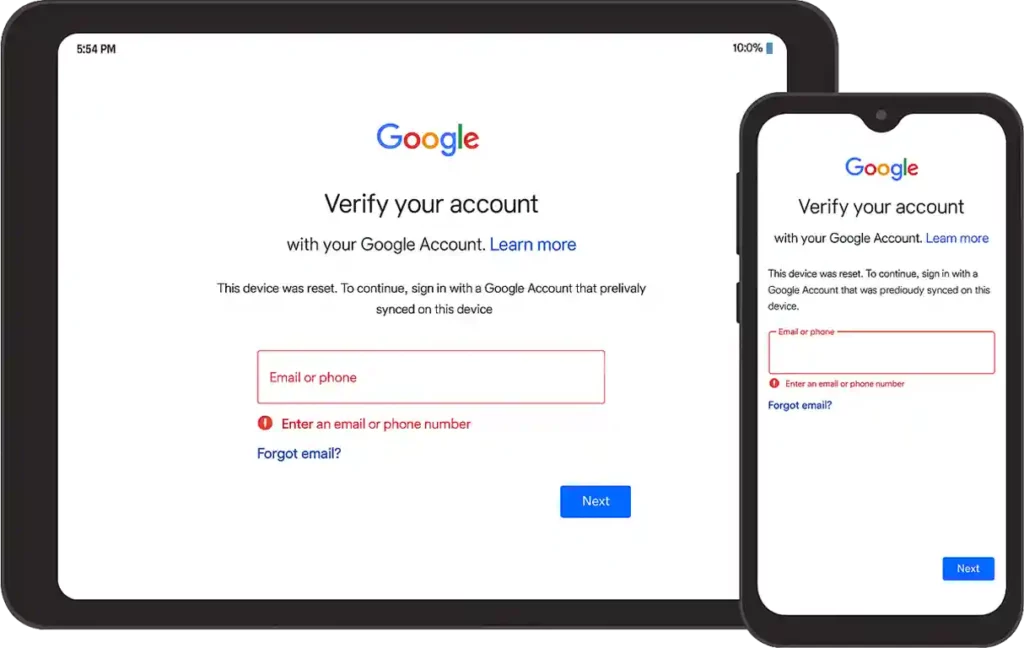
FRP (Factory Reset Protection Screen)
This article shares a proven, latest 2025 FRP bypass method for Vivo smartphones that are running Android 14 or Android 15, even with the most recent security patches. What makes this solution stand out is that it requires no PC, making it accessible for everyone. We will walk you through a step-by-step process that works across all Vivo models by cleverly using EasyShare, Activity Launcher, and a simple Phone Clone trick. By the end of this guide, you will be able to remove the Google account lock from your Vivo device and get it working again.
Understanding Vivo FRP Bypass: Why It Matters and What This Guide Fixes
The Google Factory Reset Protection (FRP) is a security feature designed to prevent unauthorized access to your Android phone after a factory reset. While it’s great for security, it can become a major headache if you forget your Google account details or buy a second-hand device. This guide focuses on giving you a reliable way to bypass Google account verification on Vivo devices even when facing persistent software glitches.
Here are the specific, common issues this Vivo FRP bypass 2025 method is designed to fix:
Settings App Not Opening: This is a very common blocker. Our method helps you get around the issue where you cannot access device settings to proceed with the bypass.
Braille Keyboard Errors: Many users report the Braille keyboard not opening or showing errors, stopping the TalkBack method dead in its tracks. We address this directly.
Share Option Not Working: The inability to share or send FRP bypass APK files is a frequent hurdle. This guide provides a workaround to ensure app installation.
Voice Commands/TalkBack Not Responding: If your TalkBack or Google Assistant isn’t responding as expected, our steps will guide you through alternative access points.
here’s a screen of my vivo y19s locked on frp.
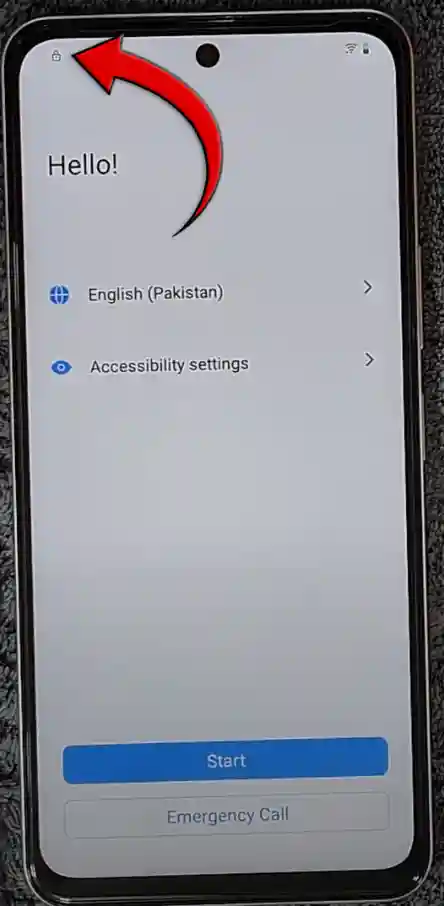
Essential Apps for Your Vivo FRP Bypass 2025 Journey
Before we dive into the detailed steps, make sure you have these crucial applications ready on a second, working Android phone (not the FRP-locked Vivo device) and understand their roles in the FRP unlock process without a PC:
EasyShare: This application is vital for transferring the necessary APK files to your locked Vivo device. You can download it directly from the Google Play Store on your working phone.
Activity Launcher APK: This powerful tool allows you to access hidden settings and activities on your Vivo phone, which is key to finding the factory reset options. You will need to download the Activity Launcher APK file to your working phone, as it might not be available directly on the Play Store. You can easily find a reliable download source by searching for “Activity Launcher APK download” on Google.
Google App: Ensure you have the standard Google app on your working device, which can be downloaded from the Google Play Store.
Step-by-Step Guide: How to Bypass Google Account on VIVO (2025)
Follow these instructions carefully to remove the Google lock from your Vivo device and successfully complete the FRP bypass. Each step is designed to be straightforward and easy to understand.
Step 1: Overcoming Initial TalkBack and Braille Keyboard Challenges
On your FRP-locked Vivo phone, the first move is to enable TalkBack Mode. You can usually do this by pressing both the Volume Up and Volume Down buttons together for a few seconds. Once TalkBack is active, draw an “L” gesture on the screen. This should bring up the TalkBack options. Here, you’ll select “Use Braille Keyboard.” If you encounter an error and the Braille keyboard does not open, do not worry; this method accounts for that. If it works, you can proceed, but if it fails, we will move to the next step, which provides an alternative way to open Chrome.
Step 2: Gaining Access to the Chrome Browser on Your Vivo FRP Lock Screen
vivo frp bypass 2025 method requires to open Chrome in your frp locked phone, If the Braille keyboard method failed, we need to find another path to Chrome. From the TalkBack tutorial screen, look for an option that allows you to type or use voice commands. Try to use Google Voice Command and say, “Open Chrome.” This often bypasses immediate issues. However, if TalkBack continues to fail or Google Assistant doesn’t respond, there’s another reliable route: the YouTube method.
- Open phone camera & then open the page gsm6.com/frp in any other device & scan QRCode (this QR contains a safe intent link to open chrome)
Step 3: Utilizing YouTube to Reach EasyShare and Prepare for Installation
The YouTube method is a highly effective way to open the Chrome browser. From Google Assistant (if you can access it) or through various notification tricks on the FRP screen, try to tap on any link that leads to YouTube Help. Once inside YouTube, locate and tap on the User Profile icon. Navigate to Settings †’ About †’ Google Privacy Policy. Tapping the “Google Privacy Policy” link should open the Chrome browser on your locked Vivo device. This is a critical step, as it gives you internet access. From Chrome, you will need to search for and download the Activity Launcher APK directly to the Vivo phone.
Step 4: Installing FRP Bypass APK Using the Phone Clone Trick with EasyShare
Now, open the EasyShare application on your FRP-locked Vivo device (if you couldn’t download Activity Launcher directly, this is where the other working phone comes in). On your separate, working Android phone, open EasyShare as well. You will use the “Phone Clone” feature in EasyShare to send the Activity Launcher APK that you downloaded earlier from your working phone to the FRP-locked Vivo device. Make sure both phones are connected via EasyShare. Once the Activity Launcher APK is transferred, install it on the Vivo device.
Step 5: The Final Steps to Bypass Google Account with Activity Launcher
With Activity Launcher successfully installed and opened on your Vivo phone, you are almost there! Inside Activity Launcher, use the search bar to look for “Settings.” Scroll through the results until you find options related to “Factory Reset” or “Reset Options.” Tap on “Erase All Data.” Confirm your choice, and your Vivo phone will restart. After the restart, the Google FRP will be successfully removed, and you can set up your device as new! This method effectively helps you unlock your Vivo phone without a computer and remove the Google account lock for good.
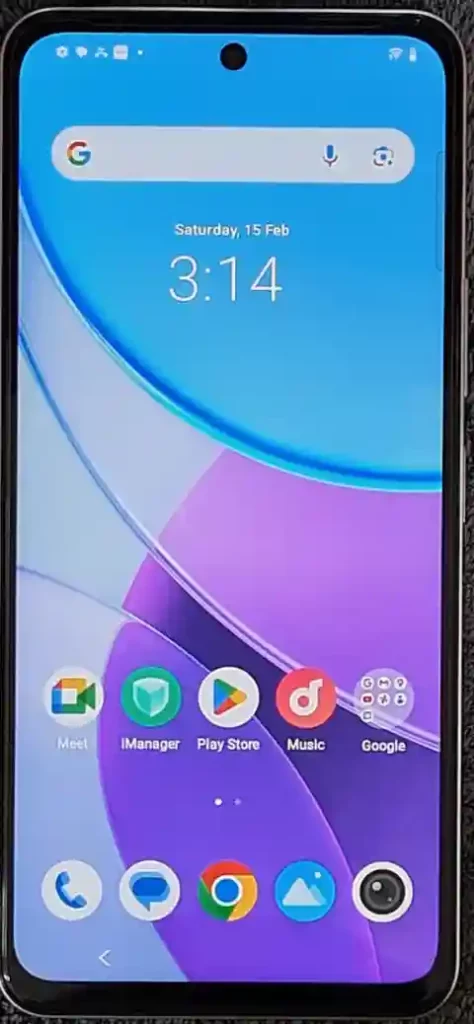
Watch the Full Video Tutorial by Learn With AM
For a visual, step-by-step walkthrough, you can watch the complete video tutorial on my YouTube channel, Learn With AM. This video demonstrates each step of the process in real-time, helping you to follow along easily.
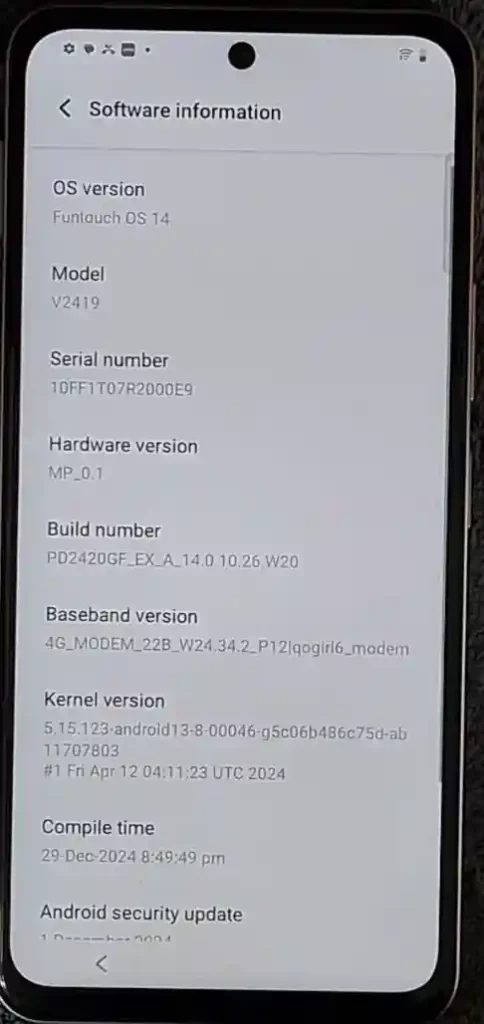
in this tutorial i have used Vivo Y19s currently running on Android 14.
Video Tutorial
Watch this guide for visual instructions
Uploaded: February 15, 2025
device details which has been used for this article. (screenshot after bypass)
Common Search Queries This Guide Addresses:
| Search Query | Solution Provided |
|---|---|
| Vivo FRP Bypass 2025 | Complete no-PC method for latest Vivo phones |
| How to Bypass Google Account on Vivo | Step-by-step guide using EasyShare & Activity Launcher |
| Vivo google account bypass | Android 14/15 compatible solution |
| VIVO Frp bypass without computer 2025 | Phone Clone trick using second device |
| Vivo frp new method 2025 | Latest working method for 2025 security patches |
Need More FRP Bypass Solutions? Connect with AM!
If you encounter any difficulties or need further assistance with FRP bypass for Vivo or other mobile software issues, I offer additional resources and services:
Professional Services & Support
| Service | Details | Link |
|---|---|---|
| YouTube Tutorials | Free FRP bypass solutions | Learn With AM |
| Professional Services | Personalized mobile software help | Fiverr.com/abdulmalik19 |
| Community Support | Forum discussions & troubleshooting | GSM6 Forum |
| Support Creator | Donate to support free content | Buy Me a Coffee |
Recommended Tools for Vivo FRP Bypass
| Tool | Purpose | Where to Get |
|---|---|---|
| EasyShare | File transfer between phones | Google Play Store |
| Activity Launcher | Access hidden settings | APK download (trusted sources) |
| Google Chrome | Browser for downloads | Pre-installed on Vivo |
| YouTube | Access Chrome via Privacy Policy | Pre-installed on Vivo |
Important Disclaimer
All APK files, tools, and activity shortcuts shared on GSM6.com are provided strictly for educational and technical purposes. Their primary purpose is to assist technicians, developers, and users in troubleshooting, repairing, or unlocking devices they legally own or have explicit permission to work on.
We do not promote or support any illegal activity, including but not limited to:
- Unauthorized access to devices
- Circumventing security features for stolen or unverified devices
- Distributing copyrighted or malicious software
Safe Use Notice
- All files are either original, open-source, or already publicly available through third-party sources.
- GSM6.com does not host or create copyrighted or harmful software.
- Use these tools at your own risk.
Responsibility
By downloading or using any file from GSM6.com, you agree that:
- You are the rightful owner of the device or have documented permission to repair it.
- You are not violating local laws, manufacturer terms of service, or carrier policies.
- GSM6.com and its team are not liable for data loss, damage, or legal issues caused by misuse.
Frequently Asked Questions
Will this method work on the latest Vivo phones with Android 15?
Yes. This guide is made for the newest Vivo phones. The steps are tested and work with devices that have the latest Android 14 and Android 15 updates. The method using EasyShare and Activity Launcher is a very common way to bypass the lock on new phones that have new security patches. It is a good solution for people who want to bypass the lock on new models like the Y series and V series phones.
What should I do if the Braille keyboard or TalkBack voice commands do not work?
This is a very common problem. Do not worry. If the Braille keyboard shows an error or your voice commands are not working, you should go to the next step. The guide has other ways to get to the Chrome browser. The most reliable way is using the YouTube app, which is a key part of this Vivo FRP bypass without PC method.
Is it safe to use third-party apps like Activity Launcher?
Yes, it is safe. Activity Launcher is a well-known and trusted app in the mobile technician community. It is used to get into hidden menus on Android phones. The app is not a virus and will not harm your phone. However, you should only download the APK from a trusted website to be safe. We recommend you watch the full video on my YouTube channel, Learn With AM, to see exactly how to do this safely.
Will I lose all my data if I do this FRP bypass?
Yes. The purpose of this method is to do a full factory reset of the phone. When you use Activity Launcher to find the reset options, it will wipe all data. This is the only way to remove the Google FRP lock. It is important to know that all your photos, apps, and files will be gone. The phone will be like new, just as it was when it came out of the box.
Is it possible to bypass the FRP lock without a second phone?
The method we shared here uses a second phone to send the Activity Launcher APK. This is the easiest way to do the bypass without a computer. It is very hard to do it without a second phone because you need a way to get the app onto the locked device. You will need another device to complete the process. This is why our method is called the “Phone Clone” trick.


Author:
Abdul MalikMobile Software Expert and founder of GSM6.com. Specializes in FRP bypass, IMEI repair, and advanced mobile tools. All tutorials are tested on real devices for accuracy and safety.


