
• Abdul Malik (AM) • misc • 1 min
How to Unlock Zong Wingle W03 for Free - Latest File (2025)
Introduction: How to Unlock Zong Wingle W03?
Are you looking to break free from network restrictions on your Zong Wingle W03? This exclusive guide provides the 100% free and permanent method to unlock your 4G WiFi device, allowing you to use it with any network SIM card around the world. No more expensive unlock codes or paid services “ just a straightforward solution to maximize your device’s potential.
Why This is the Ultimate FREE Zong Wingle W03 Unlock Guide:
Completely Free Solution: Access the necessary unlock files and tools without any hidden costs or subscription fees.
Universal Firmware Compatibility: Our method works across all Zong Wingle W03 firmware versions, ensuring broad applicability.
User-Friendly for All Skill Levels: Designed for beginners and experts alike, requiring no advanced technical skills.
Permanent Unlock: Once unlocked, your device will remain open to all networks, forever removing network restrictions.
Includes Everything You Need: The provided download package contains all essential files, drivers, and a detailed PDF guide.
Download Your FREE Zong Wingle W03 Unlock File & Tools
Get started by downloading our comprehensive unlock package. This file contains everything you need to proceed with the unlocking process.
Download from G-Drive
Inside the Download:
Unlock Firmware: The essential file compatible with DC-Unlocker for the unlocking process.
Driver Installer: Ensures your PC correctly recognizes your Zong Wingle W03.
Step-by-Step PDF Guide: A printable, detailed guide for offline reference.
Important Disclaimers Before You Start:
Backup Your Data: Although this process primarily affects the modem firmware, it’s always wise to back up any critical data from your device if possible, though Wingle devices typically don’t store user data.
Battery Level: Ensure your Zong Wingle W03 has at least 20% battery charge to prevent unexpected shutdowns during the flashing process. A higher charge (50%+) is always recommended.
Use at Your Own Risk: While this method is proven, any modification to a device’s firmware carries inherent risks. GSM6.com is not responsible for any damage or issues that may arise from following this guide.
Windows PC Required: This method specifically requires a Windows 7, 10, or 11 operating system.
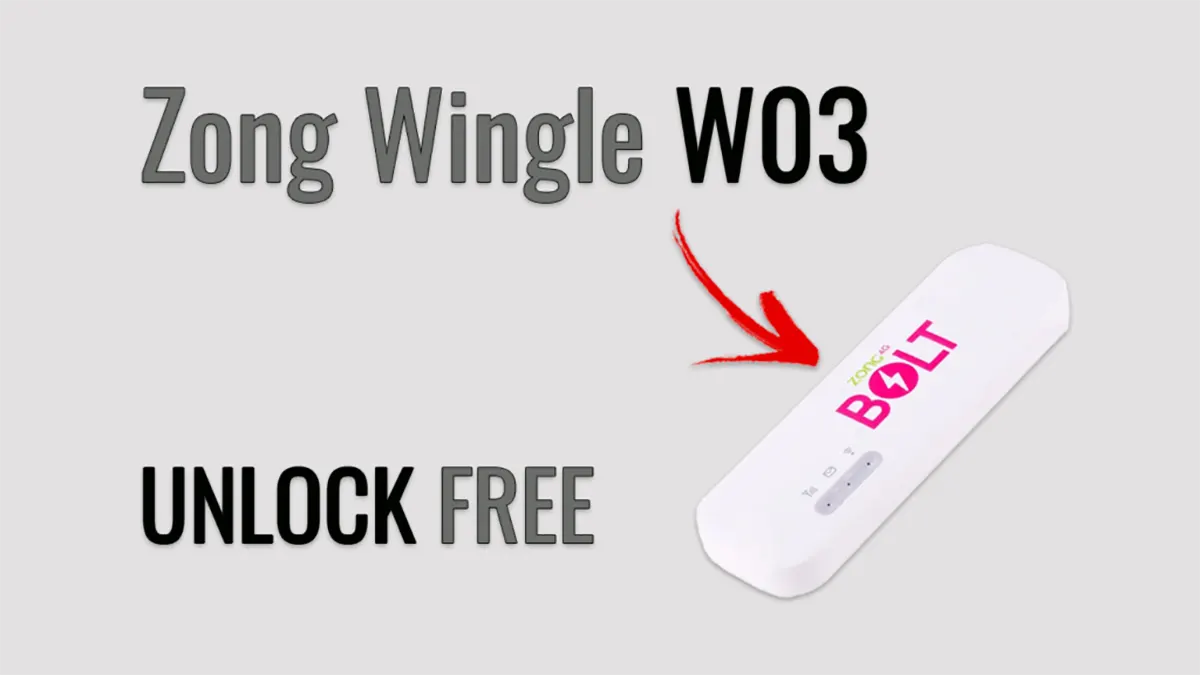
How to Unlock Zong Wingle W03 for All Sim Networks.
How to Unlock Zong Wingle W03: Step-by-Step Guide
Follow these instructions carefully to successfully unlock your Zong Wingle W03.
Requirements:
A Windows PC (Windows 7, 10, or 11)
A Micro USB cable (ensure it’s a good quality data cable, not just for charging)
Your Zong Wingle W03 device with battery charged above 20%
Unlocking Steps:
Extract the Downloaded Package:
Locate the
Zong_Wingle_W03_Unlock_Package.zipfile you downloaded.Right-click and select “Extract All” (or use WinRAR/7-Zip).
Enter the password:
AM19xwhen prompted.
Install Essential Drivers:
Navigate to the extracted folder.
Run
Driver_Setup.exeas Administrator. Follow the on-screen prompts to complete the driver installation. This ensures your PC properly communicates with the Wingle.
Enter Unlock/Download Mode on Wingle W03:
Power off your Zong Wingle W03 device completely.
Now, simultaneously press and hold the Power button AND the Reset button (usually a small pinhole button) for approximately 10 seconds.
While holding, connect your Wingle W03 to your PC using the Micro USB cable.
Your PC should now detect the device, often appearing in Device Manager as “Huawei Modem” or a similar diagnostic port.
Flash the Unlock Firmware using DC-Unlocker:
Open the extracted folder and launch
DC-Unlocker.exe(run as Administrator if you encounter issues).In DC-Unlocker, select
Huaweifrom the “Manufacturer” dropdown menu.From the “Model” dropdown, select
Wingle W03.Click the “Detect” button (usually a magnifying glass icon) to ensure DC-Unlocker recognizes your device.
Once detected, navigate to the
Unlockingtab.Click the “Unlock” button.
Allow the process to complete. This usually takes around 2 minutes. Do NOT disconnect your device during this time.
Completion & Verification:
After successful flashing, your Zong Wingle W03 device will automatically reboot.
Once it powers on, insert any network’s SIM card (e.g., Jazz, Telenor, Ufone, Warid, or an international SIM).
Your device should now connect to the inserted SIM’s network, confirming the successful permanent unlock!
Step-by-Step Video Guide to Learn How to Unlock Zong Wingle W03 for All Networks
in this video i did unlock zong wingle w03 by using this unlock file.
Video Tutorial
Watch this guide for visual instructions
Uploaded: April 12, 2025
Troubleshooting Common Issues:
Device Not Detected by PC or DC-Unlocker?
Try a different USB port on your PC.
Use a different Micro USB cable (ensure it’s a good quality data transfer cable).
Manually reinstall the drivers from the downloaded package.
Restart both your PC and the Wingle W03.
Error During Firmware Flashing?
Temporarily disable your antivirus software, as it might interfere with the flashing process.
Ensure you are running
DC-Unlocker.exeas an Administrator.Verify the Wingle W03 is correctly in Unlock/Download Mode.
Frequently Asked Questions
Is this Zong Wingle W03 unlock method truly free?
Yes, absolutely! This guide provides a 100% free solution to unlock your Zong Wingle W03. All necessary files and software are included in the download package, with no hidden charges or paid services required.
Will unlocking my Zong Wingle W03 void its warranty?
Yes, it is highly likely that unlocking your Zong Wingle W03 will void any remaining manufacturer’s warranty. Proceed with this method only if you are comfortable with this possibility.
Can I use any 4G SIM card in my unlocked Zong Wingle W03?
Yes! Once you successfully unlock your Zong Wingle W03 using this guide, it will accept and work with any standard-sized 4G SIM card from any network provider, whether local or international.
What if my Zong Wingle W03 is not detecting the SIM card after unlocking?
First, reboot your Wingle W03 a few times. Ensure the SIM card is inserted correctly and fully functional. If issues persist, double-check that the unlock process completed successfully and your device is not showing any errors in DC-Unlocker. You might try performing the unlock steps again meticulously.
Is the unlock permanent, or will it revert if I reset my Wingle W03?
The unlock achieved through this method is permanent. It modifies the device’s firmware, so factory resetting your Zong Wingle W03 will not revert it back to being network-locked.
Final Thoughts
Unlocking your Zong Wingle W03 opens up a world of flexibility, allowing you to choose the best network provider wherever you go. Our free, step-by-step guide is designed to make this process as simple and accessible as possible. Enjoy the freedom of using your 4G WiFi device with any SIM!
If this guide helped you, please share it with others who might benefit. For more useful tutorials and free tools, stay connected with GSM6.com.


Author:
Abdul MalikMobile Software Expert and founder of GSM6.com. Specializes in FRP bypass, IMEI repair, and advanced mobile tools. All tutorials are tested on real devices for accuracy and safety.


