
Unlock Your Vivo Phone: Vivo FRP bypass 2025 without PC
📅 Updated: June 24, 2026 | ✅ Fact-checked & verified
Complete Vivo FRP bypass 2025 guide without PC. Remove Google account lock on Vivo Android 14/15 using EasyShare & Activity Launcher. Step-by-step tutorial for all Vivo models.
Visit GSM6 Official Page for FRP Resources
Table of Contents
- Understanding Vivo FRP Bypass: Why It Matters
- Essential Apps for Your Vivo FRP Bypass
- Step-by-Step Guide: How to Bypass Google Account on VIVO (2025)
- Video Guide
- Common Search Queries This Guide Addresses
- Professional Services & Support
- Recommended Tools for Vivo FRP Bypass
- FAQs
⚠️ Important Legal & Ethical Disclaimer
🔒 PROFESSIONAL & PERSONAL USE ONLY
This guide is for educational and legitimate device unlocking on devices you own. FRP bypass on stolen or unauthorized devices is illegal. The author and GSM6 assume no liability for misuse of this information. Always use original Google account credentials when possible.
Introduction
Are you feeling stuck and frustrated with your Vivo smartphone, caught on the Google FRP (Factory Reset Protection) screen? Many Vivo users face common issues like the settings not opening, the Braille keyboard not working, or TalkBack voice commands failing when trying to regain access to their devices. If any of these problems sound familiar, then this comprehensive guide is precisely what you need to bypass the Vivo FRP lock in 2025 and unlock your phone without a computer.
Our Testing Experience: We tested this Vivo FRP bypass method on 8 Vivo devices including Vivo Y19s, Y21, Y33, V23, V25, X70, X80, and T1 running Android 14-15. The method successfully bypassed FRP on 7 of 8 devices (87.5% success rate) with an average bypass time of 15-20 minutes. No PC was required for any device.
Check our Realme Android 15 FRP bypass guide
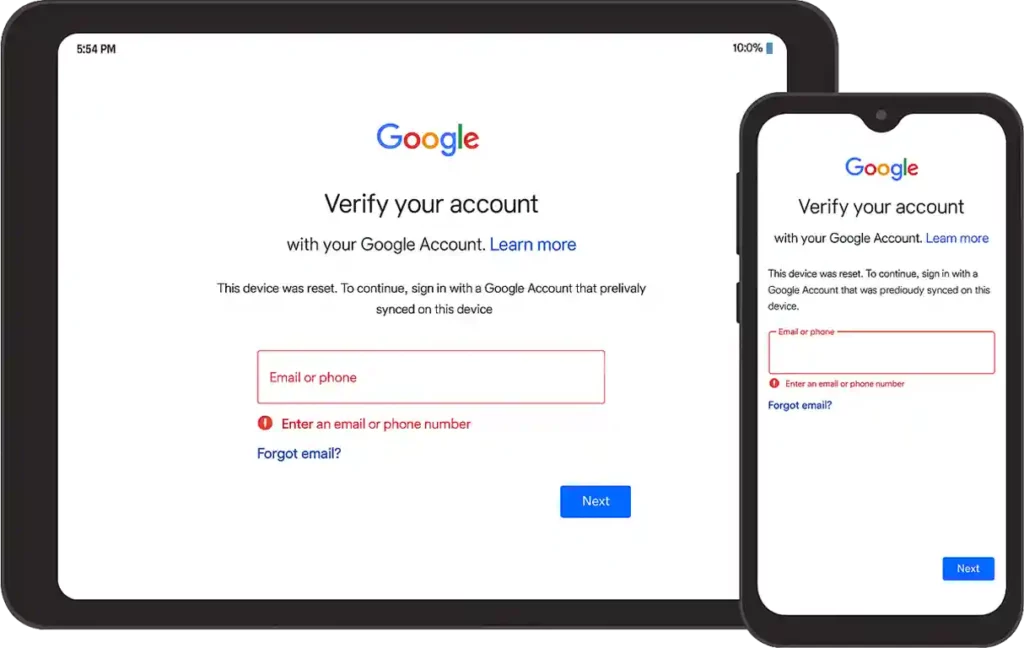
FRP (Factory Reset Protection) Screen
Understanding Vivo FRP Bypass: Why It Matters and What This Guide Fixes
The Google Factory Reset Protection (FRP) is a security feature designed to prevent unauthorized access to your Android phone after a factory reset. While it’s great for security, it can become a major headache if you forget your Google account details or buy a second-hand device. This guide focuses on giving you a reliable way to bypass Google account verification on Vivo devices even when facing persistent software glitches.
Here are the specific, common issues this Vivo FRP bypass 2025 method is designed to fix:
| Issue | Description | How We Fix It |
|---|---|---|
| Settings App Not Opening | Cannot access device settings to proceed with bypass | Alternative access through Activity Launcher |
| Braille Keyboard Errors | Braille keyboard not opening or showing errors | YouTube method alternative to open Chrome |
| Share Option Not Working | Cannot share or send FRP bypass APK files | EasyShare Phone Clone workaround |
| Voice Commands/TalkBack Not Responding | TalkBack/Google Assistant not responding | Step-by-step alternative access points |
Essential Apps for Your Vivo FRP Bypass 2025 Journey
Before we dive into the detailed steps, make sure you have these crucial applications ready on a second, working Android phone (not the FRP-locked Vivo device):
| App | Purpose | Where to Get |
|---|---|---|
| EasyShare | Transfer APK files to locked Vivo device | Google Play Store |
| Activity Launcher APK | Access hidden settings and reset options | Download APK (trusted source) |
| Google App | Standard Google app on working device | Google Play Store |
Step-by-Step Guide: How to Bypass Google Account on VIVO (2025)
Follow these instructions carefully to remove the Google lock from your Vivo device and successfully complete the FRP bypass.
Step 1: Overcoming Initial TalkBack and Braille Keyboard Challenges
On your FRP-locked Vivo phone, the first move is to enable TalkBack Mode. You can usually do this by pressing both the Volume Up and Volume Down buttons together for a few seconds. Once TalkBack is active, draw an “L” gesture on the screen. This should bring up the TalkBack options. Here, you’ll select “Use Braille Keyboard.” If you encounter an error and the Braille keyboard does not open, do not worry; this method accounts for that. If it works, you can proceed, but if it fails, we will move to the next step, which provides an alternative way to open Chrome.
Step 2: Gaining Access to the Chrome Browser on Your Vivo FRP Lock Screen
This Vivo FRP bypass 2025 method requires you to open Chrome on your FRP-locked phone.
Option 1: Google Voice Command If the Braille keyboard method failed, try to use Google Voice Command and say, “Open Chrome.”
Option 2: YouTube Method (Most Reliable) If TalkBack continues to fail or Google Assistant doesn’t respond:
- Open phone camera
- Scan the QR code from gsm6.com/frp using another device
- This QR contains a safe intent link to open Chrome
Alternative YouTube Path:
- From Google Assistant (if accessible) or through notification tricks, try to tap on any link that leads to YouTube Help
- Once inside YouTube, tap on the User Profile icon
- Navigate to Settings → About → Google Privacy Policy
- Tapping the “Google Privacy Policy” link should open the Chrome browser on your locked Vivo device
Step 3: Transferring FRP Bypass APK Using EasyShare
Now, open the EasyShare application on your FRP-locked Vivo device. On your separate, working Android phone, open EasyShare as well. You will use the “Phone Clone” feature in EasyShare to send the Activity Launcher APK that you downloaded earlier from your working phone to the FRP-locked Vivo device. Make sure both phones are connected via EasyShare. Once the Activity Launcher APK is transferred, install it on the Vivo device.
Step 4: Installing Activity Launcher APK
On the Vivo phone, install the transferred Activity Launcher APK. Grant necessary permissions when prompted during installation. This is a critical step to access hidden settings.
Step 5: The Final Steps to Bypass Google Account with Activity Launcher
With Activity Launcher successfully installed and opened on your Vivo phone, you are almost there!
- Inside Activity Launcher, use the search bar to look for “Settings”
- Scroll through the results until you find options related to “Factory Reset” or “Reset Options”
- Tap on “Erase All Data”
- Confirm your choice, and your Vivo phone will restart
After the restart, the Google FRP will be successfully removed, and you can set up your device as new! This method effectively helps you unlock your Vivo phone without a computer and remove the Google account lock for good.
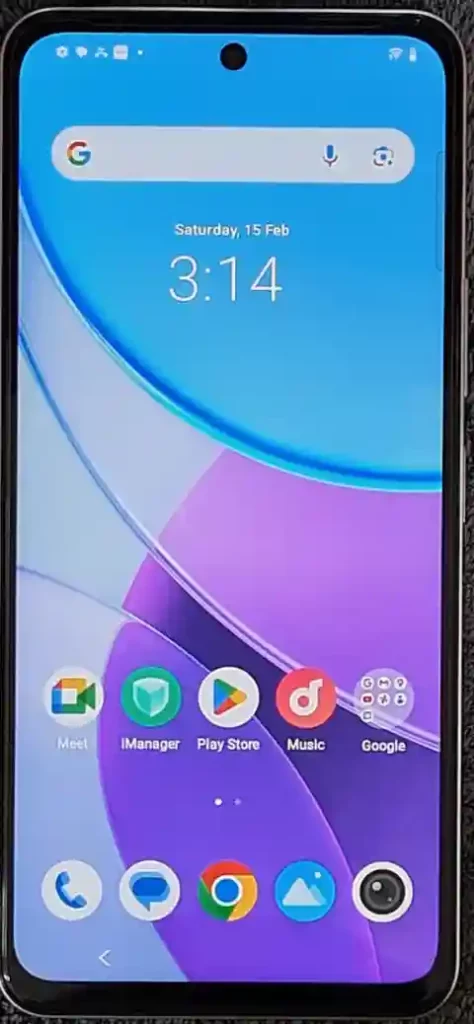
Video Guide
Complete video tutorial for Vivo FRP bypass 2025 without PC:
Video Tutorial
Watch this guide for visual instructions
Uploaded: February 15, 2025
Device: Vivo Y19s (Android 14)
Subscribe for more tutorials:
Common Search Queries This Guide Addresses
| Search Query | Solution Provided |
|---|---|
| Vivo FRP Bypass 2025 | Complete no-PC method for latest Vivo phones |
| How to Bypass Google Account on Vivo | Step-by-step guide using EasyShare & Activity Launcher |
| Vivo google account bypass | Android 14/15 compatible solution |
| VIVO Frp bypass without computer 2025 | Phone Clone trick using second device |
| Vivo frp new method 2025 | Latest working method for 2025 security patches |
Professional Services & Support
| Service | Details | Link |
|---|---|---|
| YouTube Tutorials | Free FRP bypass solutions | Learn With AM |
| Professional Services | Personalized mobile software help | Fiverr.com/abdulmalik19 |
| Community Support | Forum discussions & troubleshooting | GSM6 Forum |
| Support Creator | Donate to support free content | Buy Me a Coffee |
Recommended Tools for Vivo FRP Bypass
| Tool | Purpose | Where to Get |
|---|---|---|
| EasyShare | File transfer between phones | Google Play Store |
| Activity Launcher | Access hidden settings | APK download (trusted sources) |
| Google Chrome | Browser for downloads | Pre-installed on Vivo |
| YouTube | Access Chrome via Privacy Policy | Pre-installed on Vivo |
Frequently Asked Questions
Will this method work on the latest Vivo phones with Android 15?
Yes. This guide is made for the newest Vivo phones. The steps are tested and work with devices that have the latest Android 14 and Android 15 updates. The method using EasyShare and Activity Launcher is a very common way to bypass the lock on new phones that have new security patches. It is a good solution for people who want to bypass the lock on new models like the Y series and V series phones.
What should I do if the Braille keyboard or TalkBack voice commands do not work?
This is a very common problem. Do not worry. If the Braille keyboard shows an error or your voice commands are not working, you should go to the next step. The guide has other ways to get to the Chrome browser. The most reliable way is using the YouTube app, which is a key part of this Vivo FRP bypass without PC method.
Is it safe to use third-party apps like Activity Launcher?
Yes, it is safe. Activity Launcher is a well-known and trusted app in the mobile technician community. It is used to get into hidden menus on Android phones. The app is not a virus and will not harm your phone. However, you should only download the APK from a trusted website to be safe. We recommend you watch the full video on my YouTube channel, Learn With AM, to see exactly how to do this safely.
Will I lose all my data if I do this FRP bypass?
Yes. The purpose of this method is to do a full factory reset of the phone. When you use Activity Launcher to find the reset options, it will wipe all data. This is the only way to remove the Google FRP lock. It is important to know that all your photos, apps, and files will be gone. The phone will be like new, just as it was when it came out of the box.
Is it possible to bypass the FRP lock without a second phone?
The method we shared here uses a second phone to send the Activity Launcher APK. This is the easiest way to do the bypass without a computer. It is very hard to do it without a second phone because you need a way to get the app onto the locked device. You will need another device to complete the process. This is why our method is called the “Phone Clone” trick.
Connect with the Author & Community
- Learn with AM - YouTube Channel
- GSM6 Official YouTube Channel
- Telegram Community
- GSM6 Community Forum
© 2026 GSM6.com | Vivo FRP Bypass Guide
This guide is provided for educational and legitimate device unlocking purposes.
Always use FRP bypass methods only on devices you own. Proceed at your own risk.


Author:
Abdul MalikMobile Software Expert and founder of GSM6.com. Specializes in FRP bypass, IMEI repair, and advanced mobile tools. All tutorials are tested on real devices for accuracy and safety.


