
• Abdul Malik (AM) • misc • 1 min
Broque Ramdisk Tool | Free iCloud Bypass for iPhone (iOS 15-16)
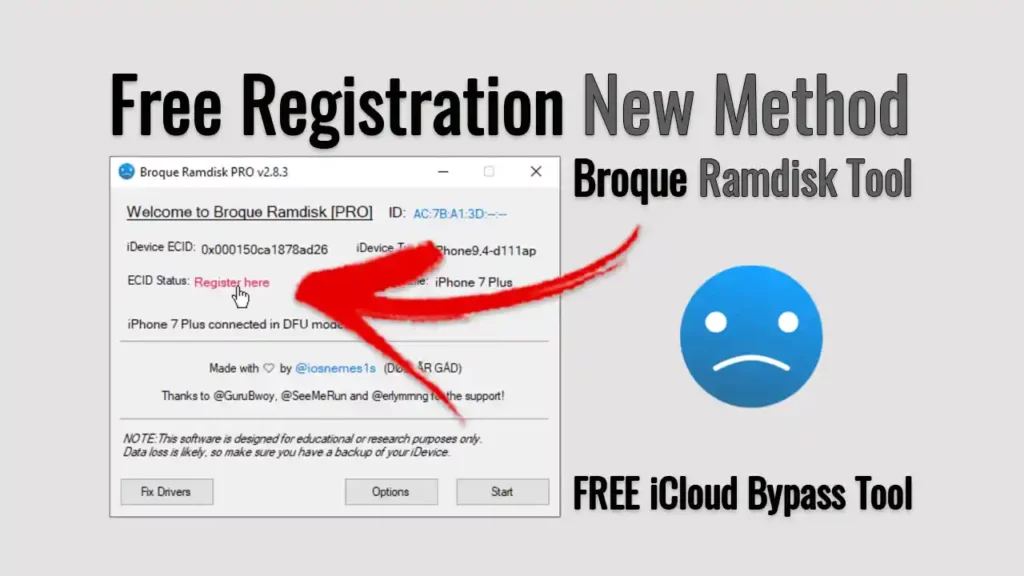
Broque Ramdisk tool
Apple’s iOS operating system is well-known for being smooth and very secure. But underneath this simple surface, there’s a deep and complex system. For special users and technicians, this system can be accessed in a more advanced way. This usually means using tools that connect directly with the main parts of an iOS device for checks, fixes, or advanced control. Among these, “ramdisk tools” are a special type. They create a temporary, low-level place for you to work with the system.
This article is a detailed guide to ramdisk tools in the iOS world, explaining them for learning purposes. We will talk about how they work, what they can do, and use “Broque Ramdisk Pro” as a key example to show these powers. Most importantly, we will highlight the big ethical points, security dangers, and real-world risks that come with using such powerful tools. Our goal is to give you a full and responsible overview if you want to understand the complex world of advanced iOS device management.
Understanding the Core: How Broque Ramdisk Tool Pro Works in iOS
To truly understand tools like Broque Ramdisk Pro and how they can offer a free iCloud bypass for iOS 15-16 for specific devices, you first need to know about the technology behind them: the ramdisk. In computers, a ramdisk is like a temporary hard drive made from your computer’s fast memory (RAM). This temporary, super-fast storage can hold a small operating system.
For iOS devices, a “ramdisk tool” is special software. It loads a custom, small, and temporary operating system directly into the RAM of your iPhone or iPad. This custom system, once loaded, runs separately from the regular iOS on your device. This unique way of working gives the tool very deep access to the device’s main file system and core features. It helps to get around some software rules that the normal iOS puts in place.
This powerful, low-level access is the main reason why ramdisk tools can do many advanced tasks. They can:
Access System Parts: When an iOS device is running from a loaded ramdisk, the tool can, in certain cases, get into and work with specific system parts on the device’s internal storage. These parts are usually protected and cannot be reached during normal iOS use. This access is very important for checking and fixing problems.
Run Special Commands: From this temporary ramdisk environment, the tool can start and run commands that are not normally available to a regular user or even through the standard iOS recovery mode. These commands give you a more detailed and direct way to control the device’s state and internal parts.
Help with Data: If an iOS device cannot be accessed because of software damage, forgotten passcodes (on devices you own), or other system issues, the ramdisk can sometimes help you work with the device’s storage for special recovery or checking tasks. But remember, keeping your data safe and the chance of losing it are still big concerns.
This ability for deep, low-level access makes ramdisk tools very effective for advanced system recovery, detailed checks, and other very specific device management tasks that normal users don’t usually do. This is especially relevant for older devices that might benefit from a free iCloud bypass for iOS 15-16 using such methods.
Broque Ramdisk Tool Pro: A Top Example of Advanced iOS Utility
The “Broque Ramdisk Pro” is a key example in the world of ramdisk tools for iOS devices. It shows the kind of features that help iOS device owners and tech experts get back control of their devices when facing tough software problems. It is very important to say again that tools like Broque Ramdisk Pro are made for real device owners who need help with their own devices because of software issues or access problems. Any use without permission is wrong, possibly against the law, and strongly not allowed.
Here are the main features you can expect from the Broque Ramdisk Pro utility, especially for those looking for an iCloud bypass iOS 15-16 (2025) on compatible models:
iOS System Recovery and Troubleshooting: If your iOS device has serious software problems”like being stuck in a loop when turning on, always showing the Apple logo, or not responding because of software damage”Broque Ramdisk Pro can be used. It creates a temporary working environment that can help stabilize the device. This stability can then allow for checks, fixes, or starting processes to get the device working normally again, often trying to save data if possible.
Owner-Assisted Access for Forgotten Passcodes: If a real iPhone or iPad owner has truly forgotten the passcode to their own device, and other normal recovery ways (like erasing with iCloud or restoring with iTunes) are not possible, tools like Broque Ramdisk Pro can help. This feature is only for getting back access to your own, legally owned devices. It should never be used for getting into a device that is not yours. The main goal is to help rightful owners avoid being locked out of their important data and devices due to a forgotten password. However, this always means the device will be reset, and you will lose data.
Device Diagnostics and Configuration Insight: By making a strong connection with the device, the tool can, in some cases, access and show important device information. This can include hardware details, software versions, detailed error logs, or internal settings. Such information can be very helpful for tech experts trying to find out why a device has problems or just to understand its setup.
Mobile Device Management (MDM) Profile Analysis (Only with Permission): For IT managers in companies or people who legally manage company or personal devices with MDM profiles, tools like Broque Ramdisk Pro might give special information about these MDM settings. This can be useful for proper management, like checking device profiles, or understanding MDM settings on devices that have been correctly removed from an organization. It is absolutely crucial that any use of MDM profiles must be strictly allowed by law and done with proper management rights.
It is important to know that how well ramdisk tools work, including Broque Ramdisk Pro, depends on certain hardware weaknesses. This means these tools usually work only on a small range of older iOS devices and specific iOS versions. Newer hardware and new iOS updates often include security fixes that make the old ways these tools rely on not work anymore.
Because of this, tools like Broque Ramdisk Pro are generally not compatible with the latest iPhone models (like iPhone XR, XS, 11, 12, 13, 14, 15, and newer), and also not with the very latest iOS versions. This is a crucial point for anyone hoping for a free iCloud bypass for iOS 15-16 on newer devices; these tools are more effective on older models.
Broque Ramdisk Tool Download - Latest Version - GSM6.com
Technical Foundations and Operational Considerations for Broque Ramdisk Tool
Using ramdisk tools means you need to understand how they work and the environment they need.
The iOS Boot Chain and Security: When an iOS device starts up, it goes through a carefully planned set of steps. It starts with the Boot ROM (a part that cannot be changed), then moves to different bootloaders and checks. This “chain of trust” is key to iOS security. Ramdisk tools usually try to step in at certain weak points in this boot chain to load their custom environment.
Hardware Exploits (Like Checkm8): The ability to load a custom ramdisk into an iOS device’s RAM usually depends on hardware weaknesses that cannot be patched (like the famous Checkm8 exploit found in devices up to the iPhone X). These weaknesses allow unauthorized code to run at a very low level. Software weaknesses also exist, but Apple usually fixes them with iOS updates. This is why devices vulnerable to Checkm8 are often targeted for iCloud bypass iOS 15-16 solutions.
Command-Line Interactions (Similar to ADB/Fastboot): While iOS devices do not use ADB or Fastboot like Android, ramdisk tools often use similar low-level communication ways and command-line tools (for example, based on
libimobiledeviceparts) to send instructions to the device and work with its file system once the custom ramdisk is loaded. These are usually made simpler by the tool’s visual interface.Driver Needs: For your computer to talk to an iOS device at this low level, special drivers are needed. On Windows, these usually come with iTunes (which includes Apple Mobile Device Support) or special driver packages. Having the correct drivers installed and stable is very important for the tool to work reliably.
Temporary vs. Permanent Changes: It’s important to know the difference. The ramdisk itself is a temporary working environment in the fast memory. But while running from the ramdisk, the tool can get into and possibly change the permanent storage (NAND flash) of the device.
Broque Ramdisk Tool Pro “ Key Ethical, Security, and Practical Considerations
Talking about tools like Broque Ramdisk Pro would not be complete or responsible without a full look at the big ethical, security, and practical points. These are not small things but very important concerns that users must understand before thinking about any advanced changes to their device.
Ethical and Legal Rules (Most Important):
You Must Own the Device: Any feature for bypassing passcodes or device locks is strictly for devices that you legally own and have the full legal right to access and change. Trying to use such tools on lost, found, second-hand devices bought without being properly unlocked, or any device not truly yours, is very wrong ethically. It also has serious legal consequences, possibly including criminal charges for theft or unauthorized access.
Data Safety and Privacy: Working with a device at a low level comes with huge responsibility. Users must make sure they are not accidentally putting their own data or someone else’s data at risk.
Security Weaknesses and Risks:
Antivirus Warnings and Your Choice: Tools that work with operating systems at a low level, like ramdisk tools, often use methods that look like those used by harmful software. Because of this, normal antivirus programs (like Windows Defender, Avast, Norton) will often flag them as threats, calling it a “false positive.” While the tool itself might be for good purposes, users should know that any time you use such tools, you might need to change your security software, and it brings real security risks to your computer, possibly exposing it to actual malware. Extreme care and a clear understanding of personal computer security are essential.
Where You Download From and Malware Risk: It is extremely important to get such tools only from their official or well-known, highly trusted developer sources. Fake or suspicious download sites often put harmful software, spyware, or other unwanted programs with tools that look real. This is vital for finding a free iCloud bypass for iOS 15-16 safely.
Bypassing Security Features: The main job of these tools is to get around Apple’s strong, built-in security. While this gives you access for specific, allowed tasks, it also shows the chance of making the device less secure overall if not handled by an expert.
No Official Updates: Devices that have had deep system changes might not get official iOS updates or important security fixes directly from Apple. This can leave the device open to new weaknesses and security problems over time, making it less secure.
Practical Risks and Limitations:
Chance of “Bricking” Your Device: The biggest practical risk is that you could make your device permanently unusable (a “hard brick”) or stuck in a state that cannot be fixed (a “soft brick”). This can happen if you use it wrong, have bad USB connections, power cuts during important work, use wrong tool versions, or have unexpected software problems. Fixing it can be very hard, and sometimes, permanent damage can happen.
High Chance of Losing Data: For many advanced tasks, especially those for getting back access or deep system resets, losing all data on the device is very likely, if not a sure thing. Users must always assume that losing data is a big risk and make sure all important data is carefully backed up before trying any process with such tools, if a backup is even possible in the device’s current state.
Voiding Your Warranty: Any low-level system change, including booting from a custom ramdisk or using tools that bypass security features, will almost always cancel your device’s warranty with Apple. Any hardware or software problems after that will likely not be covered for repair or replacement under the warranty.
Technical Difficulty: These tools are definitely not for casual users. Using them safely and effectively needs a lot of technical understanding, great attention to detail, and the ability to find and fix complex technical problems.
Limited and Changing Compatibility: As said before, how these tools work depends on specific, often fixed, hardware weaknesses. Their compatibility is therefore limited to older device models and specific iOS versions, and this compatibility keeps getting less as Apple releases new hardware and software updates. This is particularly important for iCloud bypass iOS 15-16 solutions, as newer iOS versions close these vulnerabilities.
Responsible Engagement and the Pursuit of Knowledge
For people who choose to explore advanced iOS device management tools, it is very important to have strong ethical behavior and full technical understanding.
Do Deep Research First: Before doing anything, make a strong effort to do thorough, deep research. Understand the specific tool, if it works exactly with your device model and iOS version, the detailed steps, and what other users have said. Only use trusted, well-known technical sources and active, reliable online groups.
Always Back Up Your Data: This cannot be said enough. Always, without any exceptions, make full backups of your device’s data whenever you can before starting any process with advanced tools. Think about using different backup ways, like cloud services and computer backups.
Check Device Ownership and Permission: Double-check that you legally own the device and have clear permission to make any changes or access its data. This ethical stand protects both you and the wider digital world.
Learn Technical Skills: Advanced iOS work is not a simple automated process. It needs you to learn about device modes, command-line interfaces, driver management, and ways to fix problems.
Stable Environment: Make sure your computer is stable, has enough power, and you are using original or good quality USB cables for a strong connection.
Know the Risks and Accept Them: Understand that by using such tools, you are taking on big risks. Going ahead means you know and accept these risks.
Conclusion: The Changing World of Advanced iOS Management
The area of advanced iOS device management, with tools like Broque Ramdisk Pro, is a special and technical part of the mobile world. These tools offer specific ways for checks, system fixes, and special data work for real device owners who are facing unique software problems.
But the huge power and abilities of such tools are closely linked to big responsibilities. The discussion of “Broque Ramdisk Pro” is a crucial example of how important it is to use these tools ethically, strictly follow legal ownership, and fully understand the real and large risks involved. These risks include the chance of permanent device damage, a high chance of losing data, and new security problems.
As Apple’s iOS world keeps growing with more security and advanced software, the compatibility, methods, and effects of advanced customization tools also keep changing. For those who choose to work with this highly technical part of mobile technology, staying alert, doing careful research, and always being committed to responsible digital practices will be their most valuable tools, especially when looking for a free iCloud bypass for iOS 15-16. This exploration, when done with proper care and a full understanding of what might happen, can be a very educational journey.
Download Broque Ramdisk Pro (Official Sources Recommended)

WARNING: The following links are provided for informational purposes only. Downloading and using this software carries significant risks, including but not limited to, voiding your device warranty, potential data loss, and the risk of “bricking” your device. You proceed entirely at your own risk. This website does not endorse or facilitate illegal activities. Ensure you legally own the device you intend to use this tool on.
Broque Ramdisk Tool Specifications
| Specification | Details |
|---|---|
| Tool Name | Broque Ramdisk Pro Tool |
| Latest Version | 2025 Release |
| Platform | Windows 7/8/10/11 |
| File Size | ~150 MB |
| License | Freemium (ECID registration required) |
| Password | 123 |
| Supported iOS | iOS 15-16 |
| Supported Devices | iPhone 8, 8 Plus, X (Checkm8 devices) |
| ECID Registration | Required for full functionality |
Download Links
| Source | Link | Notes |
|---|---|---|
| Google Drive | https://drive.google.com/file/d/1xE9-iv10kvuLlo1SXnv9CVzVxDr2WfNj/view?usp=drive_link | Direct Download |
Required Resources
| Resource | Download Link | Purpose |
|---|---|---|
| ECID Registration | https://drive.google.com/file/d/1xE9-iv10kvuLlo1SXnv9CVzVxDr2WfNj/view?usp=drive_link | Activation |
| Apple Drivers | Included with iTunes | Device Connection |
| Video Guide | https://youtu.be/Dh-gl5TQogY | ECID Registration Tutorial |
Broque Ramdisk Pro Tool Free ECID Registration method:
goto broque team’s telegram channel by using the links above
& then follow this step-by-step video guide . by our official youtube channel
How to Use Broque Ramdisk Pro Tool - Step-by-Step Video Guide by Learn With AM
For a visual demonstration and a clear, detailed walkthrough on how to effectively use the Broque Ramdisk Pro tool, please watch the comprehensive video tutorial on my YouTube channel, Learn With AM. This video will guide you through each step of the process.
Video Tutorial
Watch this guide for visual instructions
Uploaded: August 26, 2025
In this video I have used this tool on my Apple iPhone 8, currently running on iOS 16.7.10
I am using Windows 10 Pro 64bit, Drivers signatures Disabled (in order to avoid any port driver issues)
Disclaimer: Broque Ramdisk Tool
This article and the associated “Broque Ramdisk Tool” are intended for use by experienced users and professional mobile technicians. By proceeding, you acknowledge and agree to the following terms:
High-Risk Procedure: This process involves modifying core aspects of your device’s firmware. Incorrect execution can lead to device bricking, data loss, and irreversible damage. You are proceeding at your own risk.
No Liability: The creator of this article, GSM6.com, and any affiliates, are not liable for any direct or indirect damage to your device, loss of data, or any other consequences that may arise from using this tool or following these instructions.
Data Backup: We strongly advise you to perform a complete backup of all your data before attempting this procedure. All personal files, photos, contacts, and applications may be lost.
Legal & Regulatory Compliance: It is your responsibility to ensure that using this tool and performing this procedure complies with all local, state, and federal laws and regulations.
User Responsibility: You are solely responsible for all actions taken and the resulting outcome. If you are not a professional technician, we highly recommend seeking assistance from a qualified expert.
By continuing to read this article, you accept all the above terms.
UPDATE: Broque Ramdisk Is No Longer Free
As of August 2025, there has been a significant change. The Broque Ramdisk pro latest version is no longer a completely free utility. The developers have introduced a new system that requires you to pay for a license or register your device’s ECID to use the tool’s main features. This change means that the previous idea of a “free iCloud bypass” with this specific tool has now ended. While you can still download the tool, you will need to complete a paid registration step to perform a bypass. This update is important to know before you start the process.
Frequently Asked Questions
1. What exactly is a ramdisk?
A ramdisk is a temporary, special drive that runs in your device’s fast memory (RAM). In iOS, a ramdisk tool loads a small, custom operating system into this RAM. This allows the tool to work with your phone at a very deep level, getting around some normal software rules.
2. What can the Broque Tool do?
This tool is mainly used for advanced iOS system work. Its main jobs include fixing software problems, helping to get back access to a device when you’ve forgotten the passcode, and sometimes for an iCloud bypass for iOS 15-16 on older, supported devices.
3. Is this tool really a free iCloud bypass?
No, not anymore. As of August 2025, the tool is no longer free. While you can download it for free, you must now pay a fee to register your device’s unique ID (ECID) to use the main bypass features.
4. What does “ECID registration” mean?
ECID registration means you have to pay the tool’s developers to add your specific device’s ID number to their list. This allows the tool to work for you. It is how the developers get paid for their work.
5. What is the difference between this tool and others?
This tool uses a ramdisk, which means it loads a temporary operating system into the device’s memory. This is different from other tools that might use a DFU mode or other methods. The ramdisk method gives it a very high level of access.
6. Does this work on all iPhones?
No. This is a very important point. The tool works only on older devices that have a specific weakness, like the Checkm8 exploit. This usually means iPhones up to the iPhone X. Newer phones like the iPhone 11, 12, 13, and later are not supported.
7. Can I use this on a device with iOS 17 or higher?
No. The tool is designed for iOS versions 15 and 16, as stated in the title. Newer iOS updates have fixed the weaknesses this tool relies on. Trying to use it on a newer iOS version will not work and can damage your device.
8. Do I need a Mac to use Broque Ramdisk Pro?
No. Most versions of this tool are made for Windows computers. You do not need a Mac, but you do need to make sure you have the correct Apple drivers installed on your computer.
9. Why does my antivirus program say the tool is a virus?
Antivirus programs often flag these kinds of tools as threats. This is usually a “false positive.” The tool works on a low level that can look like a virus to your antivirus software. You will likely have to turn off your antivirus for a short time to use the tool. But be careful when you do this.
10. What are the biggest risks of using this tool?
The biggest risks are bricking your device (making it unusable), losing all your data, and voiding your device’s warranty. You must follow the steps exactly, and you should always assume you will lose your data.
11. Will I lose my data if I use this for an iCloud bypass?
Yes. In almost all cases, you will lose all of your personal data, including photos, contacts, and apps. This process is a full factory reset. You should always back up your data if you can before you start.
12. Is it safe to download this tool from any website?
Absolutely not. You should only download this tool from official or highly trusted sources. Many fake websites try to put malware inside these tools to infect your computer. You can find safe download links on the GSM6.com website.
13. What if I get an error during the process?
If you get an error, do not panic. The best thing to do is to watch the detailed video guide on my YouTube channel, Learn With AM, to see every step. Errors are common, and the video can help you see if you missed something.
14. What is the Checkm8 exploit?
The Checkm8 exploit is a permanent hardware weakness in Apple’s devices up to the iPhone X. It cannot be fixed with a software update. Ramdisk tools use this weakness to get into the device at a deep level, even if the user is locked out.
15. What are the alternatives to this tool?
There are other ramdisk tools and services available, but most of them also require payment and are for very specific devices and iOS versions. There is no perfect, free tool that works on all devices. You should always research any alternative carefully.
16. How can I get help if I get stuck?
If you get stuck, your first step should be to watch the full video on the Learn With AM YouTube channel. If you need more help, you can use the professional services offered on Fiverr.
17. Do I need a paid account or internet access to use the tool?
Yes, you now need to have internet access to complete the payment and registration of your ECID. The tool also connects to its server to check your registration before it can start.
18. Will this remove the “DA in blacklist” error?
No, that error is from a different type of tool that uses a specific computer driver. This ramdisk tool does not fix that kind of problem. This tool has its own set of errors and solutions.
19. Is this tool legal?
This tool is made for legitimate use by device owners. However, using it to bypass a lock on a device you do not own is illegal. You are responsible for following all local laws.
20. What is a “soft brick” vs. a “hard brick”?
A soft brick is when your phone is stuck in an unrecoverable state, like a boot loop, but can still connect to a computer. A hard brick means your device is completely dead and will not turn on or connect to a computer at all. Both are major risks with this process.


Author:
Abdul MalikMobile Software Expert and founder of GSM6.com. Specializes in FRP bypass, IMEI repair, and advanced mobile tools. All tutorials are tested on real devices for accuracy and safety.


