
FRP Tools & Shortcuts Recover Android Device Access
Download official APKs and use intent links to restore access to your Android devices after factory reset. Tools for technicians, repair shops, and legitimate device owners.
Intent Links for FRP Bypass
Click any link below to open system apps, settings, or tools on your locked Android device. Use Copy button to save for offline use.

Galaxy Store
Access Samsung's official app store directly on a locked device

Google Quick Search Box
Instantly launch the Google search bar to find new bypass methods

Settings
Jump straight to your phone's main settings menu to change key options

Qr Scan Activity
Launch the QR scanner directly to bypass the setup wizard

Activity Manager
Gain access to hidden application activities on your device

Screen Smartlock
Use this shortcut to manage smartlock settings on your phone

Samsung My Files
Gain instant access to the file manager to install APKs

Youtube
Launch YouTube to find new FRP methods and tutorials

Chrome
Open the Chrome browser to download necessary bypass files

Calculator
Launch the calculator, sometimes a gateway to hidden menus

Samsung Internet
Directly access Samsung's own internet browser on a locked device

Alliance Shield
Launch this powerful app to manage system apps and disable Knox

Android Hidden Settings
A shortcut to access hidden settings on most Android phones
Login Account
Brings you directly to the Google account login page

Home Launcher
Launches a new home screen, often a key step in bypass

Enable ADB
Special dialer code to enable USB debugging on Tecno/Infinix phones

ADB Settings
Shortcut to the ADB debugging settings on your device

USB Setting
Directly access USB connection options for file transfer

Samsung Test Menu
The Samsung test menu to check various device functions

Google Maps
Launch Maps to find new access points for FRP bypass

Google Assistant
Get instant voice access to the browser for bypass methods

Gmail
Launch the Gmail app for account-related bypass methods

Samsung Touch ID
Shortcut to the fingerprint and biometrics settings

Samsung Secure Folder
Access the secure folder, which can sometimes be used for bypass

Smart Switch App
Launch the Smart Switch app to clone data from another phone
Samsung Dialer Call
Launch the phone dialer to input special codes

Mi File Manager
A file manager for Xiaomi phones to access and install APKs

Xiaomi ShareMe
Transfer files from another phone to bypass FRP

Vivo EasyShare
A file sharing app for Vivo devices, often used in bypass methods

Vivo Phone Clone
Launch the phone cloning app for Vivo phones to restore data

Xshare Mini
A file sharing tool for Infinix devices to transfer files for bypass

OPPO Phone Clone
Launches the data backup and restore app for OPPO phones
🚀 How to Use Intent Links
Directly opens the app/feature on your locked Android device if supported
Copy intent link to clipboard for use in Activity Launcher or other tools
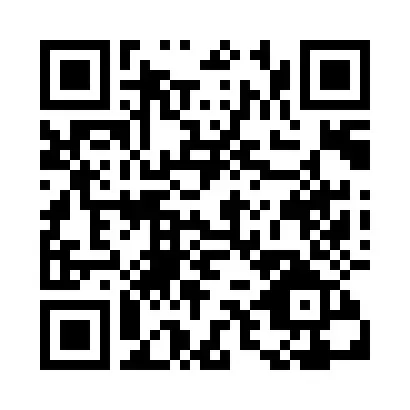
Use the QR code below for universal Chrome browser access on any device
📱 Scan QR Code to Open Chrome
Scan this QR code with any camera app on a locked Android device to open Chrome browser directly.
(Bypasses 'Update error' in YouTube app during FRP procedures)
APK Downloads for FRP Recovery
Download verified APK tools for Android FRP bypass. All files are from trusted sources with backup links available.

Activity Launcher
Unleash hidden app activities to bypass system locks

Package Manager
Manage and disable system apps for FRP bypass

Package Disabler Pro
Directly disable Google Play Services and system apps

Android 5 GAM
Google Account Manager for Android 5 devices
Android 6 GAM
Google Account Manager for Android 6 devices
Android 8-9-10 GAM
Google Account Manager for Android 8, 9, 10

FRP Bypass
Classic trusted tool to remove FRP lock on most Androids
FRP Android 7
Specialized FRP bypass tool for Android 7 devices

QuickShortcutMaker
Create shortcuts to hidden app activities

Notification Bar
Access notification bar even when locked

Google Settings
Shortcut to Google Settings app

Test DPC
Test device policy controllers for bypass

Apex Launcher
Replace default launcher for app drawer access

Nova Launcher
Popular launcher app for FRP bypass

ES File Explorer
Reliable file manager for locked devices

Phone Clone
Official phone clone app for data restore

File Commander
Powerful file manager for APK installation
Smart Switch Mobile
Samsung tool to clone data from another phone
Download Instructions
Direct Download
Click "Download" to get the file directly. For Galaxy Store links, you'll be redirected to Samsung's official store.
Backup Links
If the primary download fails, click "Backup" to access alternative download sources from trusted repositories.
Frequently Asked Questions
Common questions about Factory Reset Protection and recovery tools
What is FRP and why am I locked out?
FRP (Factory Reset Protection) is a security feature on Android phones that activates after a factory reset. It requires the original Google account credentials to prevent unauthorized access to stolen devices.
Are these tools and apps safe to use?
Yes, all tools are publicly available APKs and system shortcuts intended for legitimate device owners and repair technicians. They are not malware when used for authorized device recovery.
Do these methods work on all Android phones?
They work on most Android devices, but compatibility varies by brand and Android version. We provide tools for Samsung, Xiaomi, Vivo, OPPO, Realme, and other major brands.
Why is the QR code included?
The QR code provides a universal shortcut to open Chrome browser on locked devices, bypassing the 'Update error' in YouTube and other apps during FRP bypass procedures.
Can I download APKs on my computer first?
Yes, download APKs to your computer, transfer to USB/SD card, then use file manager shortcuts to install on the locked phone without internet connection.
Do I need special software on my PC?
Most methods are PC-free using intent links. For advanced bypasses, ADB tools may be needed. We provide both PC-free shortcuts and tools for PC-assisted methods.
Need More Help?
📊 FRP Tools Overview
Important Legal & Ethical Information
Read this carefully before using any tools
🎯 Intended Purpose
All tools and shortcuts are for legitimate device recovery, educational research, and authorized repair purposes only. They help technicians and device owners regain access to their own Android devices.
⚖️ Legal Compliance
- • You must comply with all local laws and manufacturer warranties
- • Do not use tools on stolen devices or without owner permission
- • Always backup data before attempting any repair procedure
- • Some methods may void manufacturer warranties
🛡️ Safety & Responsibility
GSM6.com provides verified tools from trusted sources. However, we are not responsible for any damage, data loss, or legal issues resulting from tool misuse. Use at your own risk and ensure you have proper authorization.
By using these tools, you acknowledge understanding and acceptance of these terms.
📧 Contact Legal Team

Author:
Abdul MalikMobile Software Expert and founder of GSM6.com. Specializes in FRP bypass, IMEI repair, and advanced mobile tools. All tutorials are tested on real devices for accuracy and safety.


